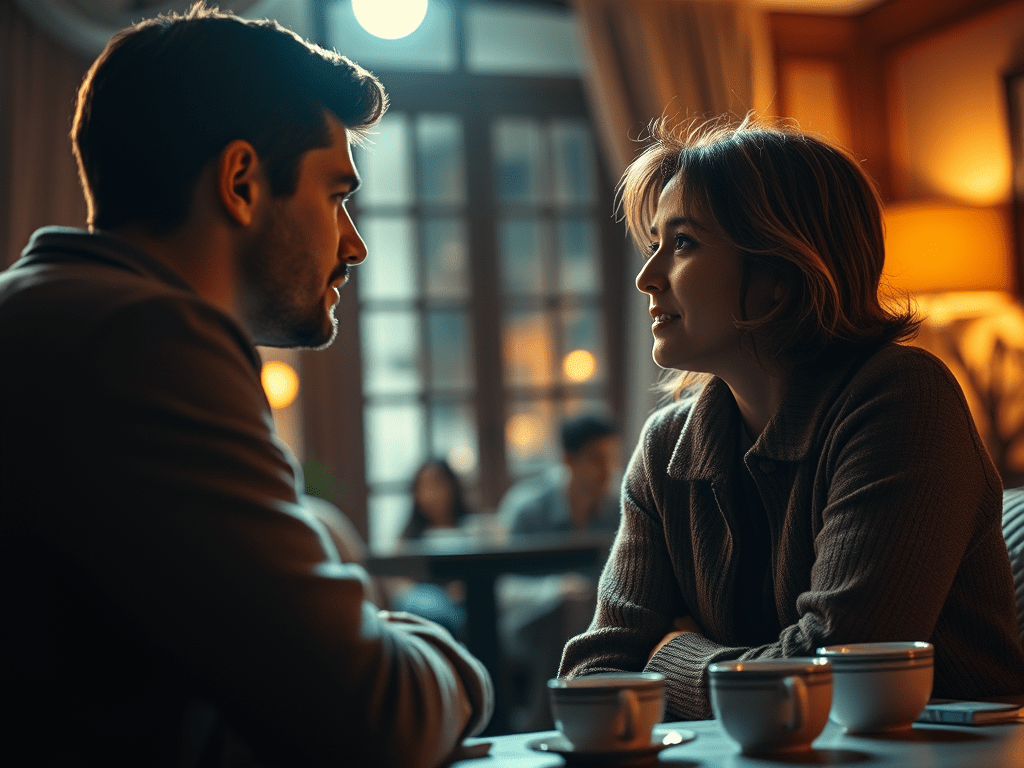
Minimum Shot List for a 2-Person Dialogue Scene (Using One Camera)
When filming a dialogue scene with just one camera, you can still capture full emotional coverage with a smart, strategic shot list. Here’s the typical minimum approach:
1. Master Shot (Wide Two-Shot)
- Purpose: Establishes the setting and both characters in the scene.
- Framing: Both people visible in the frame, typically head to toe or waist-up.
- Tip: This is your “safety take.” You can always cut back to this if the close-ups don’t match or if coverage is limited.
2. Over-the-Shoulder of Person A (Framing Person B)
- Purpose: Captures Person B speaking, reacting, or listening.
- Framing: Partial back of Person A’s head and shoulder in the foreground.
3. Over-the-Shoulder of Person B (Framing Person A)
- Purpose: Captures Person A’s delivery and emotional response.
- Framing: Mirror of the previous shot, with Person B’s shoulder now in the foreground.
4. Close-Up on Person A
- Purpose: Captures facial expression and emotion during key moments.
- Framing: Shoulders and above. Allows for subtle eye and mouth cues to read clearly.
5. Close-Up on Person B
- Purpose: Captures emotional reactions and important facial shifts.
- Framing: Same as above but focused on Person B.
Optional But Valuable Shots
6. Cutaways or Inserts
- Examples: Fidgeting hands, setting down a cup, a phone buzzing, glancing at a clock or photo.
- Purpose: These add realism, help pacing in editing, and provide emotional subtext.
7. Extreme Close-Ups
- Used sparingly for dramatic effect.
- Examples: Tears forming, lips quivering, intense eye movement.
- Purpose: Heighten emotional stakes or create stylistic emphasis.
Minimum Shot List for 3–5 People (One Camera Setup)
1. Master Wide Shot (Group)
- Purpose: Captures the entire group and overall dynamics.
- Use: Establishing shot and fallback during editing.
2–3. Medium Group Shots (Subgroupings)
- Example: Shot of Person A, B, and C together, then D and E.
- Purpose: Narrows focus while keeping group energy.
- Use: Helps manage coverage without cutting constantly.
4–8. Over-the-Shoulder (Pairs or Triangles)
- Example: Over A’s shoulder to B and C speaking.
- Purpose: Shows interactions within the group, especially during turns in dialogue.
9–11. Close-Ups or Singles
- Focus on key reactions or emotional deliveries.
- Examples: Person A crying, Person D looking betrayed, Person C smirking.
12. Inserts and Cutaways
- Non-verbal gestures, hand motions, phone on table, glances.
- Useful to smooth out editing transitions or show subtext.
Total Shot Estimate:
| Category | Number of Shots |
|---|---|
| Master Wide Shot | 1 |
| Medium Subgroup Shots | 1–2 |
| Over-the-Shoulder | 2–4 |
| Close-Ups | 3–5 |
| Cutaways/Inserts | 1–2 |
| Total | 7–12 shots |
Notes
- For simple scenes, 7–8 shots may be enough.
- For dramatic or complex scenes, aim for 10–12 for emotional flexibility.
- You do not need to film everyone equally—focus on emotional center of the scene.
Summary Table
| Shot # | Shot Type | Coverage |
|---|---|---|
| 1 | Master Shot | Both actors, full scene context |
| 2 | OTS A → B | B’s dialogue and reactions |
| 3 | OTS B → A | A’s dialogue and reactions |
| 4 | Close-Up on A | Emotional beats of Person A |
| 5 | Close-Up on B | Emotional beats of Person B |
| 6+ | Cutaways/Inserts | Details that enhance realism |
| 7+ | Extreme Close-Ups | High-emotion or stylized shots |
Total Needed:
Plan for at least 5 core shots, and ideally 7+ if the scene is emotionally heavy or dialogue-driven. Shooting each setup fully and from multiple angles gives you flexibility in post-production and ensures performance continuity.
Differences in Filming vs Real Life
| Aspect | Real Life | Film / Acting | Reason |
|---|---|---|---|
| Dialogue Flow | People interrupt and overlap | Clean turn-taking | Avoids confusion and is easier to edit |
| Speech Style | Messy, with filler words | Polished and direct | Keeps pacing tight and story clear |
| Emotional Expression | Often delayed or suppressed | Timed and visible | Maximizes emotional impact for viewer |
| Eye Contact | Inconsistent, often avoided | Strong and sustained | Conveys connection and emotional clarity |
| Eye Line (Camera) | Look directly at people | Slightly off-center for framing | Keeps both actors visible on screen |
| Where to Look | Glances shift constantly | Directed to cheat toward camera | Maintains visual continuity and readability |
| Speed of Talking | Can be fast, erratic | Controlled and paced | Matches rhythm and keeps it comprehensible |
| Distance Between People | 3–4 feet typically | 1–2 feet (often close) | Fits both actors in frame and builds tension |
| Posture | Slouched or casual | Upright, composed | Helps framing and control on camera |
| Blocking/Body Movement | Unstructured, shifting | Pre-planned and deliberate | Keeps camera focus, lighting, and narrative clear |
| Common Gestures (Anger) | Flailing, pacing | Sharp and contained | More readable and controlled |
| Common Gestures (Sadness) | Slumped, quiet | Stillness, subtle gestures | Visually communicates inner emotion |
| Common Gestures (Happiness) | Animated, bouncy | Open, warm, slower | Looks intentional and clean |
| Breathing | Unconscious, irregular | Deliberate, timed for emotion | Adds realism and rhythm to scenes |
| Overreaction vs. Underreaction | Underreaction feels natural | Slight exaggeration needed | Ensures emotions register on screen |
| Silences | Awkward or accidental | Loaded with meaning | Used to control pacing and emotion |
| Naming People | Rare unless needed | Used frequently | Helps audience keep track of who’s speaking |
| Phone Calls | Include greetings and goodbyes | Abrupt hang-ups | Avoids redundancy and saves screen time |
| Coincidences | Easily missed | Perfectly timed | Moves plot forward efficiently |
| Framing/Body Orientation | Side-by-side, backs turned | 3/4 or frontal to camera | Keeps faces and expressions visible |
Differences in Filming vs Documentaries
| Aspect | Real Life | Documentary Practice | Reason |
|---|---|---|---|
| Dialogue Flow | People interrupt and overlap | Mostly preserved, but sometimes edited for clarity | Maintains authenticity while ensuring comprehension |
| Speech Style | Messy, with filler words | Often trimmed in editing or guided in interviews | Improves pacing and viewer retention |
| Emotional Expression | Often delayed or suppressed | Captured naturally or prompted through questioning | Conveys honest emotional arc |
| Eye Contact | Inconsistent, often avoided | Interviewees look at the interviewer or off-camera | Feels more natural and emotionally real |
| Eye Line (Camera) | Look directly at people | Usually off-camera (talking head) or direct-to-camera for effect | Depends on format: direct = intimate; off-camera = observational |
| Where to Look | Glances shift constantly | Encouraged to focus on a fixed point | Maintains viewer engagement and clean visuals |
| Speed of Talking | Can be fast, erratic | Guided to speak clearly; edited if needed | Aids storytelling and pacing |
| Distance Between People | 3–4 feet typically | Varies; interviews often use medium shots (3–5 ft) | Comfortable for subjects, practical for audio |
| Posture | Slouched or casual | Natural, but sometimes adjusted for framing | Balanced between comfort and aesthetics |
| Blocking/Body Movement | Unstructured, shifting | Minimized during interviews; loose in vérité | Prevents distraction; maintains composition |
| Common Gestures (Anger) | Flailing, pacing | Captured authentically if present | Preserves emotional truth |
| Common Gestures (Sadness) | Slumped, quiet | Framed to emphasize expression without directing it | Lets the moment speak for itself |
| Common Gestures (Happiness) | Animated, bouncy | Naturally captured or prompted in storytelling | Builds emotional relatability |
| Breathing | Unconscious, irregular | Left in unless distracting | Conveys realism or tension naturally |
| Overreaction vs. Underreaction | Underreaction feels natural | Used as-is; nothing is staged | Documentaries value authenticity over dramatization |
| Silences | Awkward or accidental | Sometimes left in for emotional weight | Silence can deepen impact or tension |
| Naming People | Rare unless needed | Often clarified in voiceover or text titles | Aids audience understanding |
| Phone Calls | Include greetings and goodbyes | Often edited for brevity | Keeps focus on essential content |
| Coincidences | Easily missed | Highlighted with editing or narration | Clarifies themes or story structure |
| Framing/Body Orientation | Side-by-side, backs turned | Subjects face interviewer or camera; framed with intent | Balances realism with watchability |
Real Life vs Reality TV
| Aspect | Real Life | Reality TV | Reason |
|---|---|---|---|
| Dialogue Flow | People interrupt and overlap | Cut to highlight conflict or punchlines | Increases drama, keeps scenes entertaining |
| Speech Style | Messy, with filler words | Edited to sound sharper or more extreme | Makes characters seem bolder or more dramatic |
| Emotional Expression | Often internal or hidden | Exaggerated reactions are encouraged | Creates clear emotional moments for the audience |
| Eye Contact | Inconsistent or natural | Often avoided to hide manipulation or direction | Maintains illusion of spontaneity |
| Eye Line (Camera) | Look directly at people | Usually not into camera, except for confessionals | Preserves realism, breaks it only for meta-commentary |
| Where to Look | Anywhere natural | Confessionals = direct to camera; scenes = guided | Combines reality with storytelling format |
| Speed of Talking | Varies widely | Fast-paced edits cut dead space | Maintains energy and attention span |
| Distance Between People | 3–4 feet typically | Closer than normal for camera coverage | Helps capture tight framing and tension |
| Posture | Relaxed or shifting | Natural but may be adjusted or guided | Maintains visual appeal on camera |
| Blocking/Body Movement | Unstructured and fluid | Subjects are subtly staged or cued | Helps with lighting, audio, and editing continuity |
| Common Gestures (Anger) | Shouting, pacing, erratic | Amplified, sometimes provoked | Conflict drives engagement and ratings |
| Common Gestures (Sadness) | Withdrawal, tears in private | Captured on camera, often framed for impact | Emotional vulnerability draws viewers in |
| Common Gestures (Happiness) | Laughter, smiles, relaxed body | Often exaggerated or performed | Makes reactions more entertaining |
| Breathing | Natural and unnoticed | Dramatic breaths often emphasized | Used for tension or emotional cues |
| Overreaction vs. Underreaction | Subtle, often downplayed | Overreaction is common and encouraged | Creates drama and meme-worthy content |
| Silences | Usually uncomfortable | Used strategically for tension or comedy | Silence heightens the drama or awkwardness |
| Naming People | Occasional, context-driven | Names repeated for clarity and drama | Ensures viewers know who’s who at all times |
| Phone Calls | Polite and functional | Staged or edited for story | Focuses on key dialogue or reaction |
| Coincidences | Go unnoticed or unimportant | Highlighted, exaggerated, or even planned | Builds storylines and twists |
| Framing/Body Orientation | Side-by-side, natural | Guided to face the camera while appearing natural | Keeps shots clear and usable |
Real Life vs Docufiction
| Aspect | Real Life | Docu-Fiction / Candid Film | Reason |
|---|---|---|---|
| Dialogue Flow | Chaotic, people talk over each other | Feels unstructured but is selectively edited | Maintains realism while controlling rhythm |
| Speech Style | Filled with pauses, rambling, slang | Includes these elements but cuts around them | Preserves authenticity while improving pacing |
| Emotional Expression | Often internalized or misdirected | Captured in vulnerable, unscripted moments | Realism increases emotional impact |
| Eye Contact | Variable, often avoided in public | Natural and inconsistent | Helps reinforce candid realism |
| Eye Line (Camera) | Always looking at people, not cameras | Subjects rarely look into the lens | Maintains documentary illusion |
| Where to Look | Wanders, distracted | Left natural unless needed for storytelling | Preserves organic body language |
| Speed of Talking | Fast, jumbled, nervous | Kept intact if expressive; trimmed for clarity | Balancing truth and audience comprehension |
| Distance Between People | Social norms apply (3–5 feet) | Natural spacing preserved | Breaks away from theatrical proximity |
| Posture | Relaxed, unaware of cameras | Slouched, leaning, casual — as-is | Supports the unscripted look |
| Blocking/Movement | Random, spontaneous | Subjects move naturally, not staged | Maintains “invisible camera” aesthetic |
| Anger | Builds slowly, rarely explodes publicly | Captured subtly or unexpectedly | Feels more genuine when not exaggerated |
| Sadness | Often hidden, private | Shown in quiet, observational moments | Greater emotional truth from restraint |
| Happiness | Laughing, smiling, relaxed presence | Captured as it unfolds naturally | Appears unscripted, unforced |
| Breathing | Unnoticed | Left audible if it adds intimacy | Signals presence, anxiety, or emotion |
| Overreaction | Rare unless in private | Avoided unless real and justified | Keeps tone grounded and believable |
| Silence | Often uncomfortable | Used without fear | Silence is honest — it speaks volumes |
| Naming People | Rare in mid-conversation | May be used casually or through subtitles | Helps audience identify characters |
| Coincidences | Common but unnoticed | Captured as-is or restructured in edit | Gives shape to chaotic real life |
| Phone Calls | Natural, with goodbyes | Filmed quietly or in passing | Used as texture, not centerpiece |
| Framing | No framing, just perspective | Handheld, observational, often imperfect | Reinforces authenticity and “real life” feel |
How to Film Docufiction with a Limited Crew (When Actor = Cam Op)
1. Use the Actor-Camera Relationship Creatively
- Style Choice: Make it part of the story — e.g., actor is documenting their own life, vlogging, or “being watched.”
- Camera Types: Use small, lightweight cameras (BMPCC, Sony Alpha, Canon R-series, GoPro, or even a phone with Filmic Pro).
- Perspective Shift: Treat the camera as first-person or in-universe POV when actor is filming.
2. Pre-Block for “Absent Actor” Coverage
When the actor is filming a scene but should also appear in it:
Techniques:
- Tripod + Lock-Off:
- Set up static wide or medium shot.
- Frame it so actor can enter, interact, exit.
- Looks like a hidden documentary camera.
- Reverse Angle Swap:
- Shoot one side of the scene with the actor behind the camera.
- Swap positions and reshoot from the reverse angle (ideally with a stand-in or locked frame).
- Stitch in post to simulate two perspectives.
- Reflection Shots:
- Use mirrors, windows, or water to naturally show the actor while they’re filming.
- Can be subtle and poetic.
- Over-the-Shoulder Self-Shot:
- Film over the actor’s shoulder (or handheld from chest) to hint at their presence.
3. Use Doubles or Body Replacements
- Stand-In or Crew Cameo:
- Have a friend, extra, or crew member wear the actor’s clothes from behind.
- Works for wide shots, walking scenes, or when face isn’t visible.
- Tripod Tricks:
- Have the actor set up the shot, hit record, and walk into frame.
- Let the camera roll for multiple takes — edit selectively.
4. Audio-First Storytelling
- If the actor is filming others, record their voice (off-camera questions, breathing, reactions).
- This gives them presence in the scene, even if they’re not on screen.
Gear Tip:
Use a lav mic on the actor and a shotgun mic on camera, recording dual audio for flexibility.
5. Hybrid Scene Planning
| Shot Type | Who Operates | Notes |
|---|---|---|
| Establishing/Wide | Tripod or Static | Actor steps into frame |
| POV or Wandering | Actor | Integrates motion, rawness |
| Dialogue or Reaction | Actor + Tripod/Other | Use coverage to create illusion of multi-cam |
| Mirror/Reflection | Actor | Doubles as a reveal or theme device |
6. Edit with Intentional Imperfection
- Embrace shaky cams, partial framing, focus shifts.
- Let it feel lived-in. It supports the docufiction realism.
- Add audio overlays, inner monologue, or voice notes for depth.
7. Use Real Locations with Permission or Grit
- Go light — handheld, minimal gear.
- Pre-walk blocking and sound without drawing attention.
- Take advantage of ambient realism — background characters, city noise, texture.
Bonus: Gear for Solo Actor-Cameraperson Setups
- Wireless lav mic (RØDE GO II, DJI Mic)
- Camera on GorillaPod or small gimbal
- Remote trigger or interval timer
- Foldable reflector or bounce board
- Phone as monitor via HDMI or wireless feed
Filming guerrilla style in public means shooting without permits, minimal crew, and often no official permission — but still getting cinematic results. It’s how early indie films, street documentaries, and even parts of Nomadland, Clerks, Before Sunrise, and Tangerine were made.
Here’s how to do it smart, safe, and slick:
How to Film Guerrilla Style in Public
1. Keep Your Kit Minimal and Mobile
Use gear that blends in and lets you move quickly.
Suggested Setup:
| Gear | Why |
|---|---|
| Mirrorless or Pocket Camera (Sony, BMPCC, Canon, Fujifilm) | Small, high-quality, low profile |
| Lavalier Mic (RØDE Wireless GO II, DJI Mic) | Discreet audio without boom ops |
| Tripod or GorillaPod | For static shots or quick setups |
| Smartphone + Filmic Pro | Looks casual but can shoot 4K Log |
| Backpack Rig or Fanny Pack | Quick access to batteries/cards |
2. Dress Like a Tourist or Vlogger
- No crew shirts, no slates, no lighting flags.
- Carry a water bottle, bag, map, or hat — blend in.
- If challenged, say you’re filming a personal travel project or student film.
3. Pre-Scout the Location
- Watch foot traffic and security behavior.
- Note when it’s busiest and when it’s least patrolled.
- Choose natural staging points like parks, sidewalks, bus stops, or courtyards.
4. Use Natural Light and Sound
- Shoot during golden hour or bright overcast for soft light.
- Rely on lav mics and keep backup audio recording (even a phone in your pocket).
- Avoid drawing attention with reflectors or lights.
5. Block the Scene in Layers
For narrative scenes:
- Place actors like they’re just talking or waiting in public.
- Use eye-line triangles and movement through the scene to make it dynamic.
- Rehearse quietly, shoot quickly.
6. Use Real People as Background Extras
- Don’t film people directly unless they’re unrecognizable or incidental.
- Use shallow depth of field or film from behind people.
- Blur faces in post if anyone is identifiable and not part of the scene.
7. Film in Bursts
- Shoot in 1–2 minute blocks.
- Move locations often.
- Have a go-bag and mental escape plan in case you’re asked to leave.
8. Sound Like You Belong
If confronted:
- Stay calm, don’t argue.
- Say things like:
- “Just filming something personal.”
- “We’re doing a location test.”
- “Happy to leave if this spot isn’t okay.”
Legal & Ethical Tips
| Tip | Why It Matters |
|---|---|
| Avoid branded signage | Prevent legal takedown later |
| Don’t block walkways | Avoid breaking public nuisance laws |
| Know the rules | Public vs. private property lines can be tricky |
| Always respect people’s space | Ethics matter in documentary-style film |
Optional: Turn Constraints into Style
- Handheld? Lean into it for raw realism.
- No lights? Use bright windows, white walls, or car headlights.
- Need to hide a mic? Build it into a prop (coffee cup, scarf, collar).
Do You Need a Permit?
| Type | Do You Need It? |
|---|---|
| Personal vlog / walk-and-talk | No (most cases) |
| Actor scenes with blocking / gear setup | Maybe |
| Anything in subways, airports, malls | Usually yes |
| Private property (cafes, stores) | Always get permission or go ultra-light |
Here is the same Guerrilla Filming Checklist, now cleaned up with no emojis and formatted for professional or blog use:
Guerrilla Filming Checklist
GEAR ESSENTIALS (Pack Light, Pack Smart)
- Camera (Mirrorless, Pocket, or Smartphone with Filmic Pro)
- Extra batteries (charged)
- Extra memory cards
- Lavalier microphone (wireless or wired)
- Backup audio recorder (phone, Zoom H1/H4n, etc.)
- Tripod, GorillaPod, or mini stabilizer
- Lens cleaning cloth
- ND filter (if shooting in daylight)
- Camera bag or discreet backpack
TALENT & SCENE PREP
- Actors in casual, believable outfits
- Rehearse blocking and timing before entering location
- Actors know where to enter and exit the frame
- Dialogue memorized or improvised naturally
- Alternative lines planned (in case of crowd interruption)
STRATEGY & LOCATION
- Pre-scouted location (foot traffic and security observed)
- Best time of day selected (light and crowd conditions)
- Backup location nearby
- Natural staging areas chosen (benches, sidewalks, windows)
- Exit route and regroup point planned
AUDIO
- Lavalier microphone hidden and tested
- Audio recorder running before action
- Ambient noise levels checked in advance
- Actors avoid noisy clothing or accessories
- Optional: record ambient tone of environment for post
SHOOTING TECHNIQUES
- Master wide shot filmed first (tripod or handheld)
- Use reflections, windows, or shadows creatively
- Shallow depth of field used to isolate subjects
- Takes limited to 1–2 minutes to avoid attention
- Eye-level or natural camera angles chosen
- White balance and exposure checked before each shot
LEGAL / ETHICAL CONSIDERATIONS
- Avoid filming children or identifiable faces without consent
- Blur logos and private individuals in post if needed
- Do not block sidewalks, doorways, or access points
- If approached, politely explain it’s a personal or student project
- Ready to pack and move in 30 seconds if asked to leave
BACKUP & POST-SHOOT
- Back up footage immediately to multiple devices
- Check video/audio sync and quality while on site
- Log best takes immediately while fresh
- Blur faces or license plates in post-production
- Keep all raw footage for legal or continuity purposes
OPTIONAL EXTRAS (If You Have Space)
- Foldable reflector or white bounce card
- Small LED light with soft diffuser
- Hoodie or hat to appear as a tourist or passerby
- Notebook or app for shot logs and quick rewrites

 Hypersonic VIP Club
Leave a comment